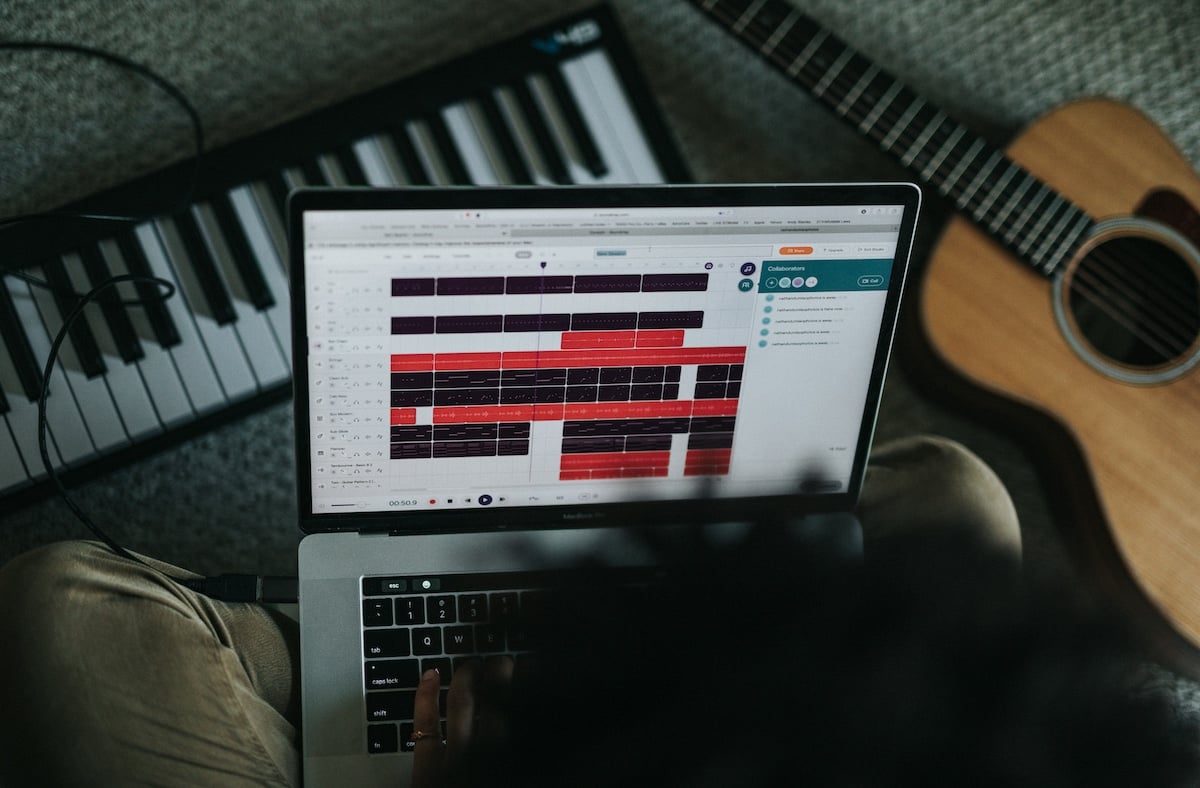

2020 changed the world and it changed the private music tuition industry entirely. Many teachers all across the globe have been forced to rethink their approach and rely on the technology available to allow them to continue working with their students and driving them to succeed.
Luckily, the tools we have available to us allow us to connect with anyone, anytime, anywhere. For teachers, this really opens up the possibilities of who we can teach.
Teaching music lessons online can be a daunting or scary experience for both teachers who have never done it before, and students who have never received this kind of tuition. But, fear not. There is nothing to worry about. In this guide, you will find out all you need to know about teaching music online along with some tips and tricks from other professional teachers working in this way.
Tips from Online Music Teachers
A few of the music teachers within the MusicTeacher.com community shared their thoughts and experiences at teaching online:
“Schedule in plenty of breaks between each lesson, even if it’s just 5-10 mins.”
This is a great point, as starting at a screen for hours combined with the intensity of teaching – which is already a high energy sport – can really take it out of you. Indeed, it was a concept that many of the teachers that we spoke with mentioned, with Craig Hill, a drum teacher in York, backing up this idea: “I find taking a regular 30 minute break between music lessons allows me time to prepare for my next student and set up and check equipment as required”. Having water and a snack to hand as well can really help keep energy levels up during lessons.
Calder McLaughlin, singing teacher based in Loughborough, recommended that teachers “Be patient with the technology and encourage students to do the same. For singing students, I send backing tracks or scales to them and ask that they have a second device to play those through to avoid issues with zoom noise cancelling audio settings.“
Using the right technology was also an aspect that teachers really picked up on during our research. Tom Warner a drum teacher based in Sheffield, shared with us that “Find a platform that works. I’m switching from Zoom to Microsoft Teams for this reason. Also, make sure the quality on the teaching end is as high as possible. Even incorporating multiple angles helps a lot.”
Each instrument does have its own challenges when teaching online, something that we spoke with Tom about asking him about the issues with sound levels for drums and from the teacher’s perspective how he has found viewing what the drum student is playing as they have different devices/positions for putting the camera.

David Jobson, who has started teaching guitar lessons on Zoom to students around the world, shared his teaching set-up with us.
Tom shared with us that: “It’s incredibly difficult to tell most of the time, so I try to make sure they have the best view of me, and I try to just listen carefully through the massive audio duck. Angle wise so long as I can see their hands it’s fine, but some people just have phones, and others have old laptops.
Some only have a table on the other side of the room and others only have one right behind them as the kit faces into the corner. It’s almost impossible to get a similar shot to your own, so it’s always best to have the best quality going to them.”
Therefore, finding the right set-up for you and your instrument, is key. Above you will see an image provided by David Jobson, an online guitar teacher, of what looks like a fantastic set-up for teaching music lessons online. Just as important is acknowledging the limitations of the instruments ability to be taught online, so that you can plan and work around these aspects – the set-up for teaching drums, piano or guitar will look and require quite different approaches.
We thought the best short summary to online music teaching success was provided by, Alan Tang, a piano teacher in Leicester, who gave this three steps:
“1. Be strict with your timings 2. Reinforce with parents (in a nice way) that continuous contact after the lesson outside of hours can be a bit disconcerting (hasn’t happened to me) but sometimes students/ parents may push the boundaries with virtual lessons. 3. Have a digital notebook which can be shared with parents/ students/ yourselves”
This is a great place to start as three core principles to follow if you are a music teacher looking to teach online. So let’s dive in and find out what it is really like to be an online music teacher.
Benefits of Teaching Online
If you’re considering a career in online music tuition then one question you may be asking is what are the main benefits of online music lessons.
When you teach in your local area, you are limited by just that, your local area.
Online music lessons open up the whole world for you to access. This means you could be teaching potential students from San Francisco to Shanghai in a single day (Time zones permitting of course).
With the internet, we are more connected than ever, and this means we can do business in more efficient ways than ever before.
Online music lessons allow us to brand out of our local area and hit a global market. As a self-employed teacher, this also means you have total control of your scheduling commitments. If you only want to work specific hours in the day, you can target your advertising to attract students from a time zone to suit you.
Downsides of Teaching Online
Teaching online is a fantastic opportunity for any tutor as it really widens your search area and allows you to be in total control, however it does come with a few drawbacks.
Many new students, particularly beginners, may feel reluctant to use online lessons. You will find lots of people who prefer the approach of face-to-face lessons with a local tutor vs. an online teacher.
Many instrument teachers will use playing together as part of the learning experience with a student, but due to latency times introduced by online video calling services, this is not actually possible. One workaround for this is to create pre-recorded materials for the lessons.
You may also experience some technical issues depending on where the person you’re teaching is calling form and the efficiency of their local internet providers. Some countries may have slower or lower quality internet speeds which can lead to call drop outs or freezes which can make lessons difficult. Before you start taking bookings from students, it wise to check their web stats by asking them to run a simple speed test.
What Equipment Do You Need?
If you want to teach online, you don’t need a huge array of equipment. You can built a setup to suit your own needs, or budget, but the great news is, this is scalable. If you want to go bigger and better, you certainly can.
At a minimum you will need:
- A webcam
- A computer
- A microphone (This could be built into the webcam/laptop/iPad)
For the best results, using a Laptop or Desktop PC is recommended because they have far more processing power than an iPhone or iPad and will allow you to not only stream better quality video, but also add peripheral things such as more external microphones or better cameras.
Depending on what instrument you’re teaching, an audio interface can also be a very useful addition to your setup. For example, if you’re a guitar teacher you could have your guitar amp mic’d up and running into the interface for a much clearer, direct sound as opposed to the room sound that your default computer mic would pick up.
If you’re using Zoom, you can also assign multiple inputs so you could have different things plugged into the interface such as a microphone for your instrument, a microphone for your voice, a way to play back tracks (Perhaps an iPad plugged into the interface) and anything else you need.
Most affordable webcams can happily shoot and stream in 1080p HD these days, so picture quality should not be an issue regardless of your budget.
You will need a stable internet connection with good download and upload speed. For best results, run your internet connection over ethernet as opposed to WiFi as this will offer far greater speeds and stability.
Video Calling Programs
There are many video calling programs available for music teachers to utilize to expand their lessons out of their local area. The most popular two are Skype and Zoom, both offer free versions which can be used to call anyone in the world over the internet.
These services both allow for file sharing, screen sharing and text based interactions so you can share all the necessary notes and files with students directly over the platform in real time.
These services can also be accessed form mobile devices and tablets if you or the student do not have a desktop or laptop computer, but for you as a teacher it’s best practise to have a desktop or laptop that you can use.
Both programs accept USB audio interfaces for audio, this means you can connect your instrument directly or with microphones, so the student hears a clear signal. Skype will only accept signal from the 1st channel of your interface, but Zoom will accept multiple channels.
There are other video calling platforms available, but these two are the easiest for anyone to access.
Some teachers will use FaceTime or Facebook Video Calling for lessons, however many teachers will prefer to avoid these platforms as they are seen as more “personal” channels of communication as you’d need to be using your personal account or personal number.
Free vs. Premium Software
When it comes to choosing a video calling platform, the free ones on the market offer great functionality and enough features to get the job done.
Skype and Zoom being the most popular two are will enough equipped for most music teacher’s needs. You can easily call someone, share files, share screens and audio feeds, and conduct the lesson.
But, if you need some extra features that the free programs don’t offer, there are some great alternatives out there in the premium field. One to consider is RockOutLoud.live, which is a video platform designed exclusively for teaching online music lessons.
With this being a premium product, it does come at a cost with paid plans starting at $9.95 per month. There is a free licence which gives you video calling capabilities and PDF sharing; however, all the additional features are locked into the paid tiers.
A single teacher license will cost you $9.95 per month and allows unlimited lessons to be booked, HD Audio with duet functions, a whiteboard for live notes and more. If you really want to take your online music school seriously and give your students the ultimate online experience then some of the features available here might be beneficial.
How to Set up Your Software
Once you’ve decided on your video calling client, you can set up the program to suit your needs. It’s always worth doing some test calls with a friend or family member first to ensure that everything runs smoothly.
You want to check for a few key things:
- How does it look for the person calling?
- How does it sound for the person calling?
- What is the stream quality like? Is it smooth, or are there skips and lags?
You want to keep your teaching area well lit to ensure the person on the other end has a clear image of you on their screen. You can use lights you already have in the room, or add something like a selfie ring light from Amazon.
If your webcam allows you to make adjustments via the video calling settings area, you should spend some time balancing things like your White balance and your saturation so that on the viewers side, the video looks clear and natural. Most webcams also have an external focus ring so spend some time familiarising yourself with how that works to ensure your videos are in focus.
For sound, you always want your audio to be as clear as possible. This is where adding an external USB audio interface and some microphones can come in handy. Many webcams or laptops will have built in microphones, but more often than not, these are not really the level of quality you need to deliver great sounding music lessons. Adding an external microphone allows you to be in complete control of your sound and choose the exact microphone you need to suit your lessons.
This is also useful for mic’ing up external things like drums or a guitar amp to give the student a very controlled sound their end when you’re demonstrating things.
Most video calling platforms also have their own built in noise suppression. While on the surface, this seems like a useful feature, for teaching it can actually cause some issues. It’s best to encourage students to switch this feature off where possible to make sure that their audio is not interrupted or cut off by this feature.
When streaming lessons over video call, try to minimize wifi use. Always aim to connect via ethernet cable for the best results. If WiFi is the only option, then try to disconnect any devices nearby that may be using up unnecessary WiFi bandwidth.
Zoom have published this really handy guide on setting your Zoom call up for the best video and audio quality. If you’re a Skype user, you can also check out this guide on configuring your Skype account.
There is also an excellent guide provided by Eric Heidbreder, where he reviews the best platforms and settings to teach music online – the article can be found here: ericheidbreder.com/single-post/the-best-services-and-settings-for-remote-music-lessons-with-step-by-step-instructions
How to Attract Potential Students
There are many ways to attract a global student base for your online teaching business. Let’s take a look at a few key methods:
Social Media
Social Media is essentially the biggest directory of people available. With billions of potential people at your fingertips it’s a great platform to build your presence and establish your brand.
If you have not already done so, create a profile on your chosen social media platform(s) and make sure you brand it up to reflect your teaching business. If you already have a personal page on this network, then create a separate page for your business use. This means students will find your business and all posts related to your business.
Check out the best practises for attracting page likes and follows. For example, Instagram is a network connected by post relevant hashtags, do your research on what hashtags fit your need and don’t forget to give back to the community as much as you take. If you’re building an audience on Facebook, the algorithm rewards visibility with more visibility so make sure you share your posts with friends and family and ask them to link and follow the page.
Social Media Ads
Social media is not only a great way to directly connect with potential customers, but it is also fast becoming one of the leading places to advertise business.
Facebook for example has a comprehensive Ad Manager which allows you to fine tune and state your exact demographic from age and location to hobbies and interests. Considering their reach, the ads on offer are fairly low priced compared to some more conventional methods of advertising such as taking out a post in a local newspaper or magazine.
Social media ads are a great way to advertise your business, grow your online presence and allow people to find you and the services you offer, especially as most day to day tasks become more and more online focused.
Website SEO
All teachers should have a website. Social media is fantastic for reaching people in your area, or in your field, but a website acts as your central point of contact on the internet. This is the thing that Google uses to push your business in the rankings. It also acts as a form of authority. If you have a website, you must be a serious business.
Websites don’t need to cost a huge amount of money. Even a simple Wordpress website with a pre-built theme can be sufficient to create your hub online. Ensure that your website SEO is up to scratch so that Google can find your page and show it to people who might be searching for it.
SEO is Search Engine Optimization. This is the process of adding specific keywords, phrases and other content to your website that Google associates with the search terms a potential customer might be using.
Google Ads
Along with having great SEO, you can also run ads on Google.
Ever wondered why some websites come out top of the search every single time? They either have great SEO, or they’re running a sponsored search result ad. This means if someone in your local area searches for whatever your service is, you will come up as a preferred or recommended search result.
Using Google Ads back end you can also monitor your analytics and see how many times your ad gets seen and look at it’s click through rate (The number of times someone clicks the link) and how many conversions you get vs. views on the website.
How to Schedule Lessons and Receive Payments
When it comes to teaching online, scheduling lessons requires the same level of diary management as dealing with face-to-face sessions. You just have to agree slots with the student either over the phone or via email/text and ensure that this is noted down, as you would on a typical booking.
The biggest difference is with online payments. There are a few ways to handle this, and it is really all about making it fit with your usual way of doing your business accounts.
Payments can be received via a bank transfer, or via a third party service like Paypal. As you’re going to be requesting transfer of funds it’s useful to invoice students so that you have an audit trail for your accounts.
Invoices can be sent as Word documents via email, or via a service like Quickbooks which generates an email invoice. These types of invoices will give the student a way to pay via the details you provide. You could send them your bank details or Paypal address to make the transfer.
If you use the in-built invoicing system from Paypal, a student can actually pay the invoice online via the link Paypal sends. This does add a 4.4% charge on your end for the transfer, but many teachers are happy to take this small hit for the convenience of the student being able to pay with a few button clicks.
You can choose to invoice on a lesson-by-lesson basis, or for a block of lessons. If you choose to do it on a lesson-by-lesson basis, it’s a great time saver to choose one day of the week where you handle all your invoicing for the upcoming week. This also allows students to become familiar with when you might be invoicing them.
It’s good practise to also ensure that students are aware of any cancellation policies. Lessons should be paid upfront, as early as possible and if a student cancels outside of the window you allow for cancellations, the fee for that lesson is forfeited.
How to Prepare Lessons
Preparing lessons online can sometimes be a little trickier than face-to-face lessons. Most teachers that teach from their own studio will often have the ability to print things or give handouts to the student in the room as they are needed.
Online lessons sometimes take a little extra prep work and some forward planning. At the end of each session, speak to your student about any potential topics or ideas for the following session. This way, you can prepare any notes or music notation and send them over ahead of the lesson so that the student has the same resources as you.
This extra time can eat into your day, so planning is very important. Make sure you have a set idea, maybe even plan out a few lessons at once so you know what you’ll be covering with the student week to week providing everything goes according to plan.
Sharing Resources with Students
Sharing resources with students has never been easier.
Most video calling programs have a chat or file transfer method of some sort. You can simply drag and drop Word files, PDF documents, images or smaller video or audio files into a chat stream and the student will receive it in real time.
If you’re looking to send bigger files, such as a collection of backing tracks of a really detailed video, check out WeTransfer, an online file transfer service that allows you to send up to 2gb of files to the users email for free.
If you need an online storage solution for sharing files with lots of students, you could sign up for Dropbox or another file hosting service. Dropbox offers lots of online Cloud storage for as little as £9.99 per month and you can share folders with people so that any time you upload a new file they get notified.
Working Towards Graded Exams
Graded Exams are a big draw for many students. Many students dream of a career in music and a graded exam can be a great way to start them on the path to their dream.
Graded exams are recognized qualifications, and they also teach a complete overview of the students chosen instrument in a variety of styles.
If you offer graded lessons to a student, you can still make this work online, but it requires a little forward thinking.
You as the teacher will also need a copy of the book. This usually is at your own expense, but if you’re going to be ordering a book for a student, there is no harm in seeing if the exam board would provide you with a PDF copy to allow you to do your role successfully.
Working through most of a graded exam is easy enough over video calls. Most topics involve a back-and-forth discussion and demonstration type setup. In some instances, you may be required to play at the same time as the student.
For example, in the guitar graded exams there is an accompaniment section which the examiner gives the student a chord chart and has them accompany a melody with the chords provided. Due to the limitations of video calls, it is not possible to play this at the same time so you could do some prep work ahead of sessions and create a short backing track with the melody and have the student play that their end and play their chords over the top in real time.
Mock exams are also possible online, as are real exams. If you’re doing the final prep with your student, you can assume the role of the examiner and ask them all the relevant questions. You would need to use pre-recorded materials for any parts that require playing together. Make sure there is a clear count in for these pre-recorded materials, so the student knows exactly how to use them.
Recommended reads
Browse all →Next reads based on shared topics and recently updated articles.





Explore the practical work involved in teaching music online, from setting up your equipment to managing lessons and supporting students around the world.